Perga Web


The browser client for Perga. It connects to the Perga API and provides a responsive interface for daily planning and notes.
Overview
Perga Web is a standalone SPA built with React and Vite. It communicates with Perga API using a configurable base URL and implements authentication, planner views, and user settings fully in the browser.
Screenshots
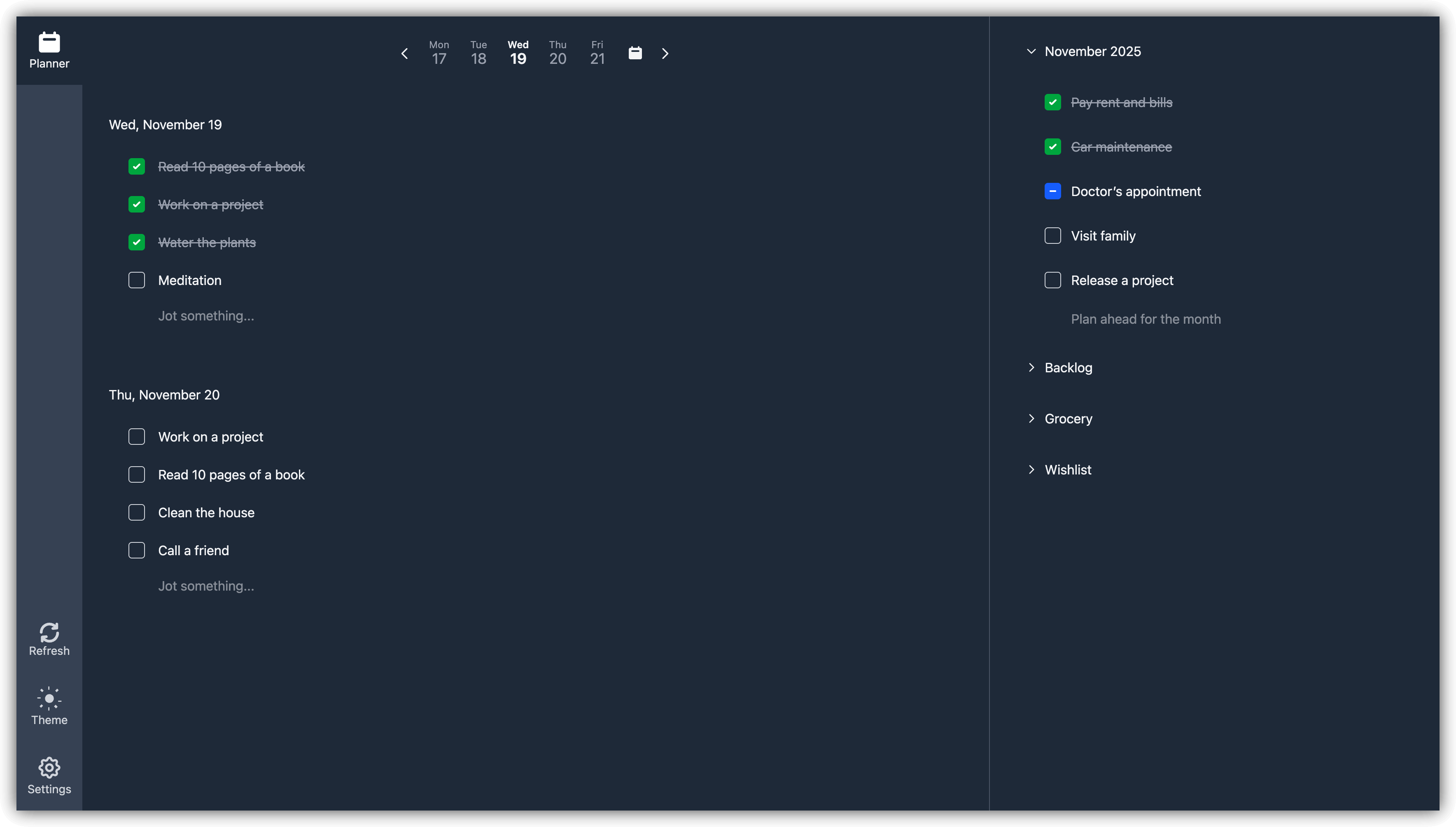
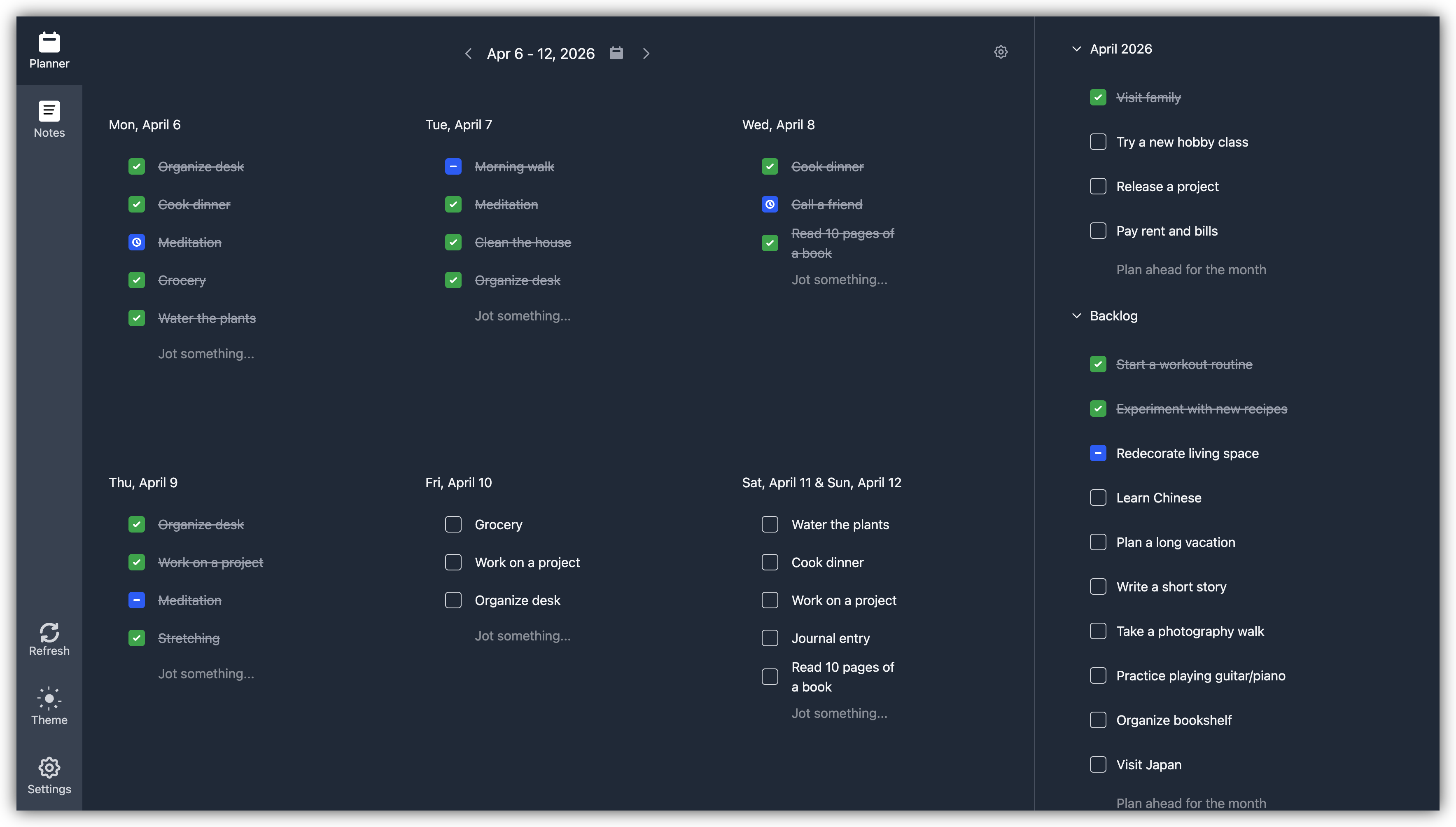
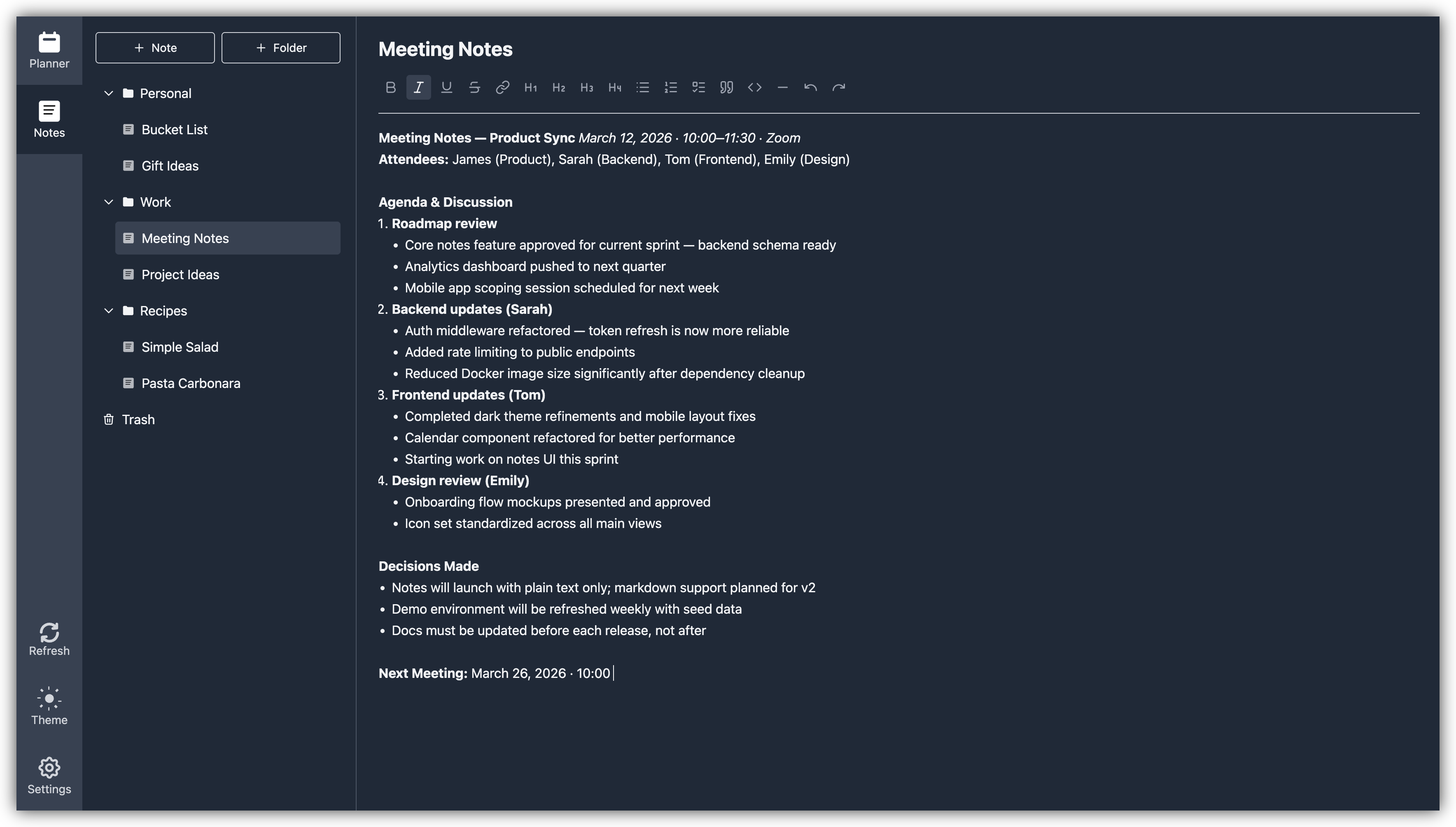
Demo
Try Perga without installing it at demo.getperga.me.
Features
- Daily planning
- Monthly and custom agendas
- Notes with folders, import, export, and full-text search
- User authentication, including Google sign-in
- Responsive design with mobile support
- PWA support
- Dark theme
Tech Stack
- React 19.0
- TypeScript (~5.7.2)
- Vite 6.3
- Tailwind CSS 4.1
- Tiptap 3.20
- React Router 7.4
- Axios 1.8
- Prettier 3.3
- ESLint 9.21
Requirements
- Node.js 20 (the Docker build uses
node:20-alpine) - npm 8+ (project uses npm; a
package-lock.jsonis included)
Environment variables
Create a .env file from the example and adjust values as needed:
cp .env.example .env
Available variables:
API_BASE_URL— Base URL of Perga API (example:http://127.0.0.1:8000/api/v1)IS_SIGNUP_DISABLED— Whentrue, hides/disables the Signup option in the UIGOOGLE_CLIENT_ID— Google OAuth 2.0 Client ID; enables the "Sign in with Google" button when set. Must match theGOOGLE_CLIENT_IDconfigured in Perga API.
Installation
- Clone the repository:
git clone https://github.com/getperga/perga-web.git
cd perga-web - Install dependencies:
npm install - Configure environment:
cp .env.example .env
# then edit .env
Development
Start the Vite development server (defaults to http://localhost:5173):
npm run dev
Code quality and formatting (ESLint & Prettier):
npm run lint         # check linting
npm run format       # write formatting
npm run format:check # check formatting only
Build & Preview
Build production assets (TypeScript build + Vite build):
npm run build
Preview the production build locally:
npm run preview
The build output is written to the dist/ directory.
Docker
The app can be built and served by nginx using Docker Compose.
# Build and start
docker compose up -d

# Stop
docker compose down
Defaults:
- Container serves on port 80 via nginx
- Host is mapped to http://localhost:3000 (compose maps
3000:80) API_BASE_URLis passed as a build ARG and from.env(compose usesenv_file: .env)
Health endpoint (inside container): GET /health/ → 200 ok
Project Structure
perga-web/
├── src/                  # Source code
│   ├── api/              # API clients & types
│   ├── assets/           # Static assets
│   ├── common/           # Shared UI/components/utils
│   ├── contexts/         # React contexts
│   ├── sections/         # Main application sections
│   │   ├── auth/         # Authentication components
│   │   ├── planner/      # Planning functionality
│   │   ├── notes/        # Notes functionality
│   │   └── settings/     # User settings
│   ├── App.tsx           # Main application component
│   └── main.tsx          # Application entry point
├── public/               # Public assets
├── .env.example          # Example environment variables
├── docker-compose.yml    # Docker Compose configuration
├── Dockerfile            # Multi-stage build (Node 20) + nginx runner
├── nginx/nginx.conf      # nginx config for SPA
├── index.html            # HTML entry point
├── package.json          # Scripts and dependencies
├── tsconfig.json         # TypeScript project references
└── vite.config.ts        # Vite configuration and path aliases
Testing
The project uses Vitest for unit and component testing.
Run all tests:
npm run test
Run tests in watch mode:
npm run test:watch
Run tests with coverage:
npm run test:coverage
Notes Section
The Notes section provides tools for personal knowledge management:
- Folders: Organize notes into hierarchical folders.
- Import/Export: Support for Markdown, HTML, and PDF (export only).
- Search: Search across note titles and contents.
Path Aliases
@→src@api→src/api@assets→src/assets@common→src/common@contexts→src/contexts@sections→src/sections@auth→src/sections/auth@planner→src/sections/planner@notes→src/sections/notes@settings→src/sections/settings
CI
GitHub Actions workflow: .github/workflows/ci.yml
Badge:
Troubleshooting
- CORS: ensure
API_BASE_URLpoints to the correct API and that CORS is enabled by the API. - Signup hidden: set
IS_SIGNUP_DISABLED=false(or omit) to show the Signup link. - Blank page in production: verify nginx serves
index.htmlfor SPA routes (configured viatry_filesinnginx.conf).
License
This project is licensed under the MIT License - see the LICENSE file for details.